You finally spot the Pokémon card set you’ve been waiting for. You click the link, your heart starts racing… and then—Error 17 appears on your screen.
No checkout.
No cart.
No explanation.
For collectors, Error 17 isn’t just a technical glitch—it’s the difference between securing a rare card and watching it sell out in seconds. Many users encounter this error exactly when a high-demand product drops, which makes the situation even more stressful. You’re left wondering whether the site is broken, your account is blocked, or if you did something wrong.
If you’re asking:
- What is Error 17 on Pokémon Center?
- Did I get banned?
- How do I fix it fast?
You’re in the right place.
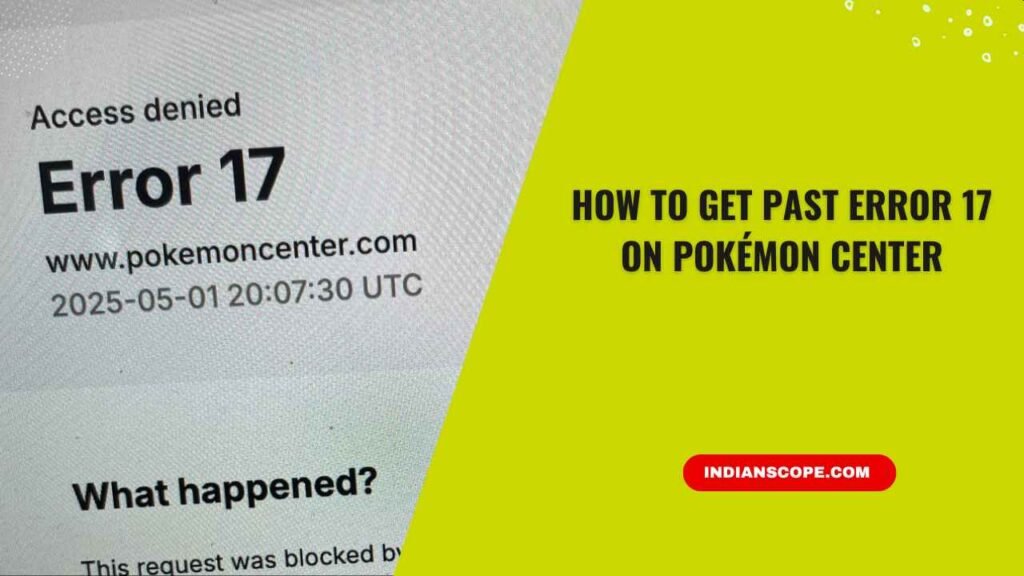
The good news: Error 17 is usually temporary and fixable. In this guide, we’ll explain why it happens, what it really means, and how to get past Error 17 on Pokémon Center step by step.
What Is Error 17 on Pokémon Center?
Error 17 is a security-related access restriction generated by Pokémon Center’s website protection system.
In simple terms, Pokémon Center believes your connection might be risky or automated, so it temporarily blocks access to protect the site.
Pokémon Center uses advanced security tools to:
- Block scalping bots
- Prevent fake traffic
- Protect limited-edition releases
- Maintain site stability during traffic spikes
Sometimes, real shoppers are accidentally caught in this filter.
Important:
Error 17 does not automatically mean your Pokémon Center account is banned. In most cases, the block is tied to your IP address or browser session, not your account.
Also Read: How Much Does It Cost to Grade a Pokémon Card? (Complete Price Breakdown & Smart Tips)
How Pokémon Center’s Security System Decides Who Gets Blocked
Pokémon Center’s security systems analyze behavior in real time. They look for patterns such as:
- How frequently pages are refreshed
- How many requests are sent in seconds
- Whether the IP address has a history of suspicious activity
- Whether the connection appears anonymous (VPN or proxy)
If your behavior resembles automation—even unintentionally—the system may temporarily restrict your access.
This explains why legitimate users sometimes get Error 17 while simply browsing or waiting for restocks.
Why You’re Seeing Error 17 on Pokémon Center
High Traffic During Product Drops
When a popular card set launches, thousands of people refresh at the same time. The site tightens security, and some real users get blocked.
Using a VPN or Proxy
VPNs hide your real IP and often use shared IP addresses. If other users on the same IP behave suspiciously, everyone can be affected.
Browser Cache or Cookie Issues
Corrupted or outdated cookies can conflict with Pokémon Center’s security checks.
Your IP Address Was Temporarily Flagged
Refreshing too often or opening many tabs can make your activity look automated.
Restricted Networks
School, office, hotel, and public Wi-Fi networks share IP addresses across many users.
Too Many Rapid Requests
Repeated rapid refreshes during restocks are one of the most common triggers.
The Fastest Way to Fix Error 17 (Try This Order First)
If you’re in a hurry, try these in order:
- Turn off VPN
- Open Pokémon Center in Incognito/Private mode
- Switch to mobile data or hotspot
- Clear browser cookies and cache
- Wait 30–60 minutes and retry
Many users regain access after just one of these steps.
How to Get Past Error 17 on Pokémon Center (Step-by-Step Fixes)
1. Turn Off VPN or Proxy
If you’re using a VPN, disconnect it completely, close your browser, reopen it, and try again.
Why this works: Pokémon Center prioritizes residential IP addresses because they’re more likely to belong to real shoppers.
2. Clear Browser Cache and Cookies
Old cookies may contain expired security data that conflicts with new sessions.
Steps (Chrome, Edge, Firefox):
- Open Settings
- Privacy & Security
- Clear browsing data
- Select Cookies + Cached files
- Restart browser
3. Use Incognito / Private Mode
Private mode opens a clean session with no stored cookies.
- Chrome: Ctrl + Shift + N
- Firefox: Ctrl + Shift + P
4. Change Your Network
- Restart your router
- Switch from Wi-Fi to mobile data
- Use a hotspot
Why this works: You receive a new IP address.
5. Try a Different Browser
Extensions or browser profiles can sometimes interfere with security checks.
Try Firefox, Edge, or Safari if Chrome isn’t working.
6. Wait and Retry
If nothing works immediately, wait 30 minutes to 2 hours and try again.
Most Error 17 blocks expire automatically.
Also Read: How to Unlock a Max Move in Pokémon GO (Complete Guide for Trainers)
Common Mistakes That Make Error 17 Worse
- Refreshing every few seconds
- Opening many tabs at once
- Switching VPN servers repeatedly
- Logging in and out multiple times
These behaviors increase the chance of extended blocking.
Does Error 17 Mean You’re Banned?
Almost never.
Temporary Block
- Clears within hours
- Works on another network
- Common during drops
Possible Account Restriction (Rare)
- Persists for days
- Happens on all networks
- Requires contacting support
What to Do If Nothing Works
Contact Pokémon Center Support and provide:
- Screenshot of Error 17
- Date and time
- Browser and device
- Country/region
They can check for restrictions.
Final Thoughts: Getting Back to Shopping
Error 17 is frustrating, but it’s part of Pokémon Center’s effort to protect real collectors from bots and scalpers. With a few quick adjustments, most shoppers regain access without ever needing support.
Stay calm, try the fixes, and you’ll likely be back hunting for your next Pokémon treasure soon. 🎴
FAQs About Pokémon Center Error 17
Can Error 17 fix itself?
Yes. Most cases resolve automatically.
Does VPN always cause Error 17?
Not always, but it increases the risk.
Is Error 17 common during card restocks?
Yes, very common.
Can I still place orders later?
Yes, once the block clears.
Pingback: Which Fossil Should You Take In Pokémon FireRed? (Helix Vs Dome Fossil Guide) - Indian Scope
Pingback: How To Get More Ability Patches In Pokémon Scarlet - Indian Scope
Pingback: New Pokémon Game 2026: Release Date, Leaks, Rumors & What To Expect - Indian Scope