
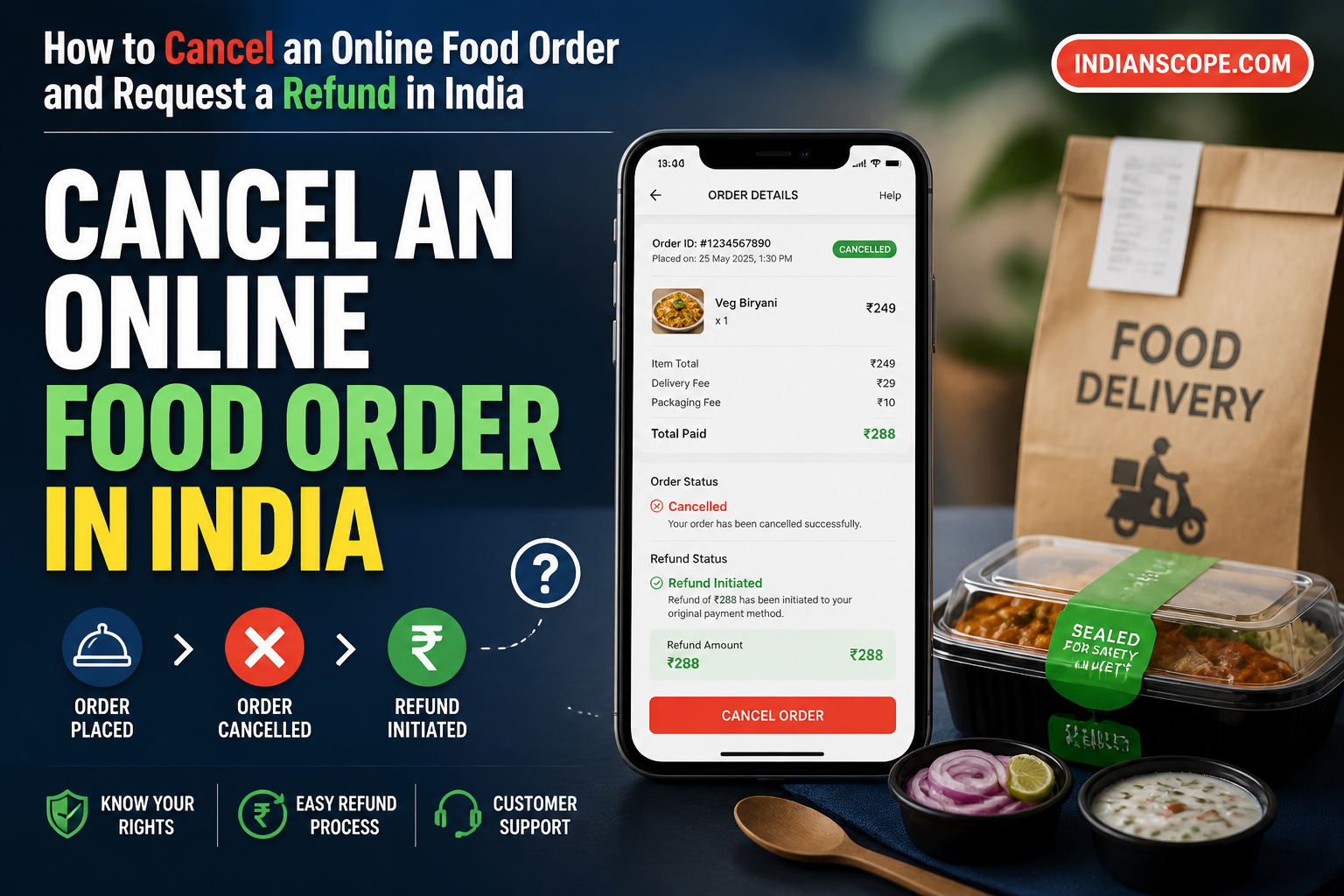
Ordering food online is convenient, but plans can change—or an order may arrive with a problem. If you need to cancel an online food order in India, whether you can do so and receive a refund depends on the platform’s current terms, the order’s status, whether the restaurant has accepted or started preparing it, and how you paid. There is no single cancellation rule or refund timeline for every order. The best approach is to act quickly, contact support through the specific order, and keep a clear record of your request. This guide explains what to do and how to follow up if the issue is not resolved.
Can you cancel an online food order?
Sometimes. An order that has not yet been accepted or prepared may show a cancellation option, but that does not guarantee a full refund. Once preparation or fulfilment has begun, cancellation may be restricted or a charge may apply. The outcome depends on the platform’s terms and the details of your order.
Zomato and Swiggy publish terms for using their platforms. Check the terms that apply to your order and rely on the order-specific information shown in the app or provided by support. Do not assume either platform offers the same cancellation outcome for every order. You can review Zomato’s terms of service and Swiggy’s terms and conditions.
A cancellation request asks to stop an order before fulfilment is complete. A refund is the return of money paid, subject to the applicable policy and circumstances. Submitting a cancellation request does not itself confirm that a refund has been approved.
How to cancel an order in the app
Start with the order page rather than a general customer-service page. The app can show the current order status and the options available for that particular order.
- Open the delivery app used to place the order and sign in to the account that placed it.
- Go to Orders or your order history. Select the relevant order and check its status.
- Look for Cancel, Cancel order, Help, or Support. Labels and layout may vary between app versions.
- Choose the cancellation option if it is available. Read any notice about eligibility, charges, or refund handling before confirming.
- Complete the on-screen steps and submit the request. Take a screenshot of the confirmation or note any reference number shown.
- Check the order page again. Confirm whether the cancellation was accepted, declined, or is still being reviewed.
If there is no cancellation button, do not assume the order has been cancelled. Open Help or Support from that specific order and ask whether cancellation is still possible and whether a refund will be issued. If the food is already being prepared or has been dispatched, explain the situation and ask for a clear explanation of the outcome under the order’s terms.
If the food was delivered or something is wrong
If the order has already arrived, report the actual problem through the order’s Help or Support flow instead of selecting cancellation. This applies if an item is missing, incorrect, damaged, or otherwise not as ordered. Describe what happened accurately; the platform will assess the request under its process and applicable terms.
Include relevant details and evidence where available. If an item is missing or incorrect, identify the specific item and attach a clear photo of the delivered order or packaging if it helps explain the issue. Keep any evidence you may need until you have reported the problem. For a late or undelivered order, include the delivery status and when you contacted support.
Ask for the resolution you are seeking, such as a refund for a specific item, a refund for the order, or another remedy. Do not treat your request as an approval. Keep the support response and check the order page for the final decision.
What to include in your support request
A short, factual message makes it easier for support to understand what happened. Include:
- Order ID and the date of the order.
- The issue: cancellation request, missing item, incorrect order, damage, or non-delivery.
- When you noticed the issue and when you contacted support.
- Amount paid and, if relevant, the amount you believe should be refunded.
- Your preferred resolution, such as cancellation and a refund or a refund for a specified item.
- Supporting evidence, such as screenshots, photographs, payment confirmation, or relevant delivery details.
For example: “Please review order [ID]. I requested cancellation at [time], but the order page does not show that it was cancelled. The amount paid was ₹[amount]. Please confirm whether cancellation was accepted and explain the refund decision. I have attached screenshots.” Replace the placeholders with your actual details, and do not share passwords, OTPs, or full card details in a support chat.
Keep records and check the refund status
Save the order ID, payment reference, screenshots of the order status, support-chat messages, and any cancellation or refund confirmation. If you speak to support by phone, note the date, time, and any case or complaint reference. These records can help you follow up without having to reconstruct what happened.
Refund timing and destination are not uniform. They can depend on the platform’s decision and your payment method. Check the app’s refund confirmation for the amount, status, and stated destination, then check the relevant payment-provider statement. A refund may be routed differently depending on whether you paid by card, UPI, wallet, or another method. Avoid relying on a fixed number of days unless the platform or payment provider has given that estimate for your transaction.
If the app says a refund has been initiated but you cannot identify it in your account, contact the platform with the refund reference and ask for the transaction details. You can also check with your bank or payment provider using the payment reference. Keep records of both conversations.
How to escalate an unresolved complaint in India
First, give the platform a reasonable opportunity to respond through the support channel for the order. If the complaint remains unresolved, keep the full record and consider registering a grievance with India’s National Consumer Helpline (NCH). The NCH provides a channel for consumers to register grievances for redressal at consumerhelpline.gov.in. Retain the complaint reference and any messages or documents submitted.
The Consumer Protection (E-Commerce) Rules, 2020 state that an e-commerce entity must acknowledge a consumer complaint within 48 hours and redress it within one month of receipt. These are complaint-handling requirements; they do not by themselves guarantee that a particular cancellation or refund request will be approved. Consult the official rules and check how they apply to your circumstances.
Quick decision guide
| Situation | Suggested next step |
|---|---|
| The order still shows as cancellable | Use the cancellation option and save the confirmation. |
| The cancellation option is unavailable | Contact support from that order and ask whether cancellation and a refund are possible. |
| The order was delivered with a problem | Report the specific issue through Help or Support and attach relevant evidence. |
| App support has not resolved the complaint | Keep the complaint record and consider contacting the National Consumer Helpline. |
Conclusion
To cancel an online food order in India, open the order in the delivery app, check its status, and use the cancellation option if it is available. If it is not, contact support from that order and ask for a clear decision on cancellation and any refund. For delivered orders with missing, incorrect, or damaged items, report the specific issue through the order’s support flow. Keep screenshots, references, and support messages, and verify any refund through the app and your payment provider. If support does not resolve the complaint, the National Consumer Helpline is a further grievance channel. Check the terms and order-specific response rather than assuming a cancellation or fixed refund timeline.
Frequently asked questions
Can I cancel an online food order after the restaurant accepts it?
Possibly, but it depends on the order status, restaurant preparation, and the platform’s applicable terms. Check the order page or ask support; do not assume a refund will be approved.
What should I do if there is no cancel button in the app?
Open Help or Support from the specific order and ask whether cancellation and a refund are possible. Save the support response and any reference number.
How do I request a refund for a missing or incorrect food item?
Use the order’s Help or Support flow, identify the affected item, explain the issue clearly, and attach relevant evidence if available. Ask for the resolution you want and keep the response.
How long does an online food order refund take in India?
There is no single timeline for every platform and payment method. Check the app’s refund confirmation and your payment-provider statement for the status and any transaction details.
Where can I complain if the food-delivery platform does not resolve my issue?
You can consider registering a grievance with the National Consumer Helpline. Keep your order details, support messages, evidence, and complaint reference.
What information should I give customer support?
Include the order ID, the issue, when it occurred, the amount paid, your preferred resolution, and relevant screenshots or other evidence. Never share passwords or OTPs.